
THE PRODUCT
Connected records.
Practical tools.
Explore the work TMG IQ brings together, from equipment details to field observations and service history.
ASSETS
Every asset deserves
a useful record.
Give your team a shared place to look for equipment information, its location and the work recorded against it.
- Know the equipment. Keep manufacturer, model, serial, installation details, warranty dates and asset tags together.
- Know where it belongs. Organize records by customer, site and location, with links to related equipment and products.
- Keep the supporting detail. Add photos, documents and organization-specific fields alongside the record.
- Follow its history. Revisit inspections, service tickets and recorded changes from the asset.
SERVICE
Keep the issue,
the work and the resolution together.
Follow an equipment issue from its first report through assignment, the service visit and recorded completion.
- Start with the problem. Link a ticket to the asset and record the issue, priority, date and supporting photos.
- Plan the work. Assign technicians and schedule visits through dispatch and individual work queues.
- Document the visit. Record work performed, labor, parts, notes, resolution and attachments.
- Leave a useful history. Keep the ticket and supporting evidence connected to the equipment.
VISUAL INSPECTIONS
Record what you see.
Carry the findings forward.
Capture equipment condition in a consistent way, then decide how any issue should be followed up.
- Confirm the asset. Select the equipment and check its tag before recording findings.
- Capture the condition. Record the inspection date, operational status, comments and recommendations.
- Use the right checklist. Follow category-specific or configured checks, with Pass, Attention and Fail results.
- Choose the next step. Add photos, create a service ticket, link an existing open ticket or save the inspection without a ticket.
PROJECTS
Keep delivery and its evidence together.
Bring documents, equipment, work updates and reviewed decisions together as a project moves toward installation and closeout.
- Documents and revisions. Retain originals and versions, review relevant facts and keep evidence with the project.
- Equipment and delivery. Link displays and components, then record receipt, installation and commissioning evidence.
- Tasks and decisions. Track owners, tasks, issues and scope-change reports, with the history behind reviewed decisions.
Uploads and reported work remain separate from approval. Reviewed progress depends on project-specific criteria and evidence.
ASK TMG IQ
Ask a question.
Find the supporting information.
Use practical questions to find available records, then open the underlying information for context.
- Find missing details. Look for records such as assets without serial numbers or recorded warranty information.
- Review equipment history. Ask about a specific asset, its service history or approved Product Knowledge.
- Follow the evidence. Review the matching records and source information before acting on an answer.
Ask is read-only. A restricted Source text pilot, where enabled, can analyze selected or recovered text with cited excerpts; generated interpretation still needs review.

MOBILE
The record belongs
at the equipment, too.
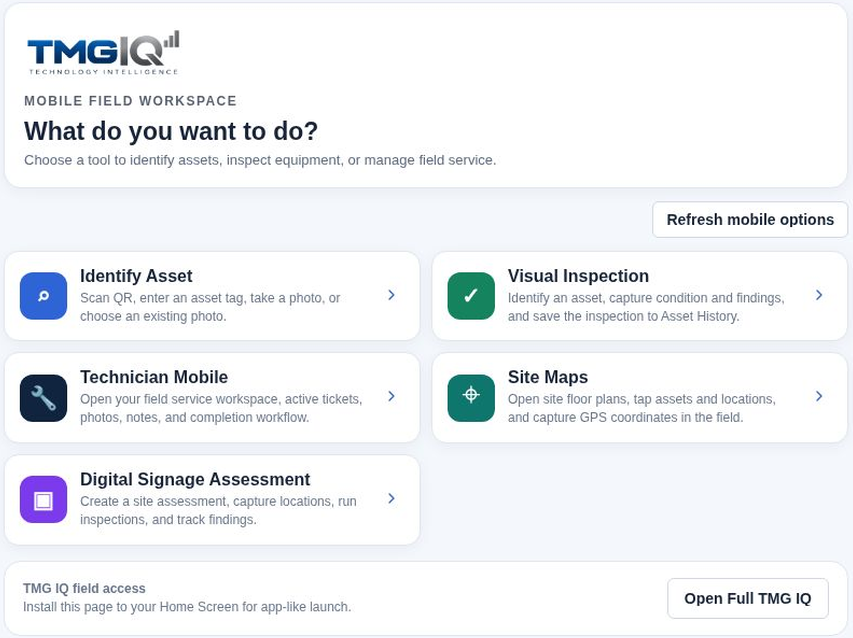
Use the mobile web workspace from your phone to look up equipment, inspect it and document service work while you’re there.
- Identify the asset. Scan a QR code or barcode, enter a tag, search, or review photo-match suggestions.
- Capture what you see. Take a new photo or choose existing images, then record condition, findings and notes.
- Work the ticket. Review assigned service work and add labor, parts, photos, resolution and technician notes.
- Return to the same record. Save field observations with the related asset, inspection or ticket.
Photo matches require confirmation. Tools depend on your organization and permissions; camera and scanning support varies by device and browser.
See how it fits your workflow.
Capabilities and available tools depend on enabled modules, configuration and permissions.
Request a demo